
IP Whitelisting is an Organisation level feature that ensures company data can only be accessed from a restricted set of IP addresses. Please note, this is an Enterprise tier feature. Contact our sales team to add it to your organisation.
Enabling IP Whitelisting:
To enable this feature you must be an Admin in your organisation
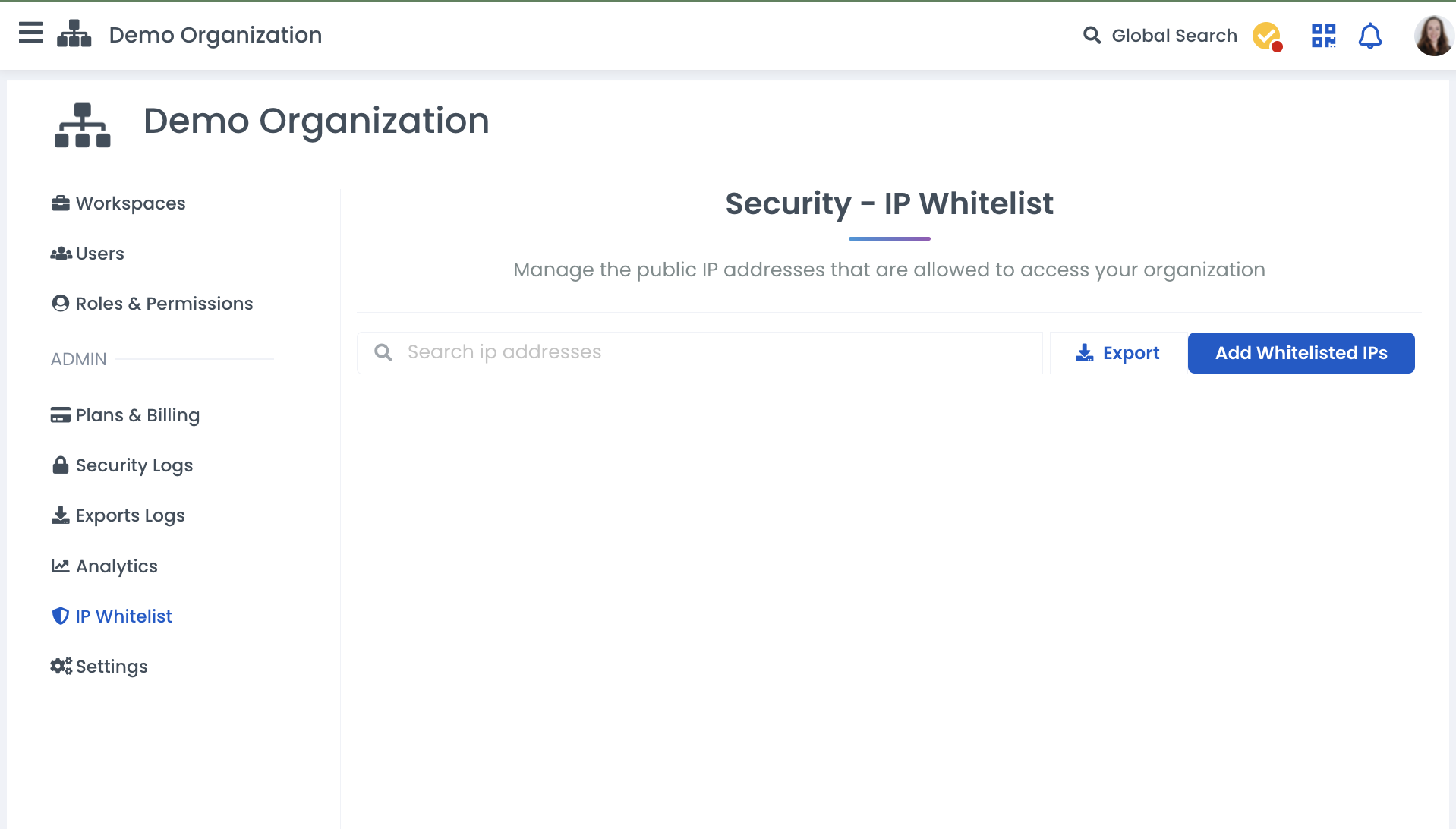
Navigate to your organisation overview page and select IP Whitelist on the Admin menu on the left-hand side.
Start by selecting the blue 'Add Whitelisted IPs' button.
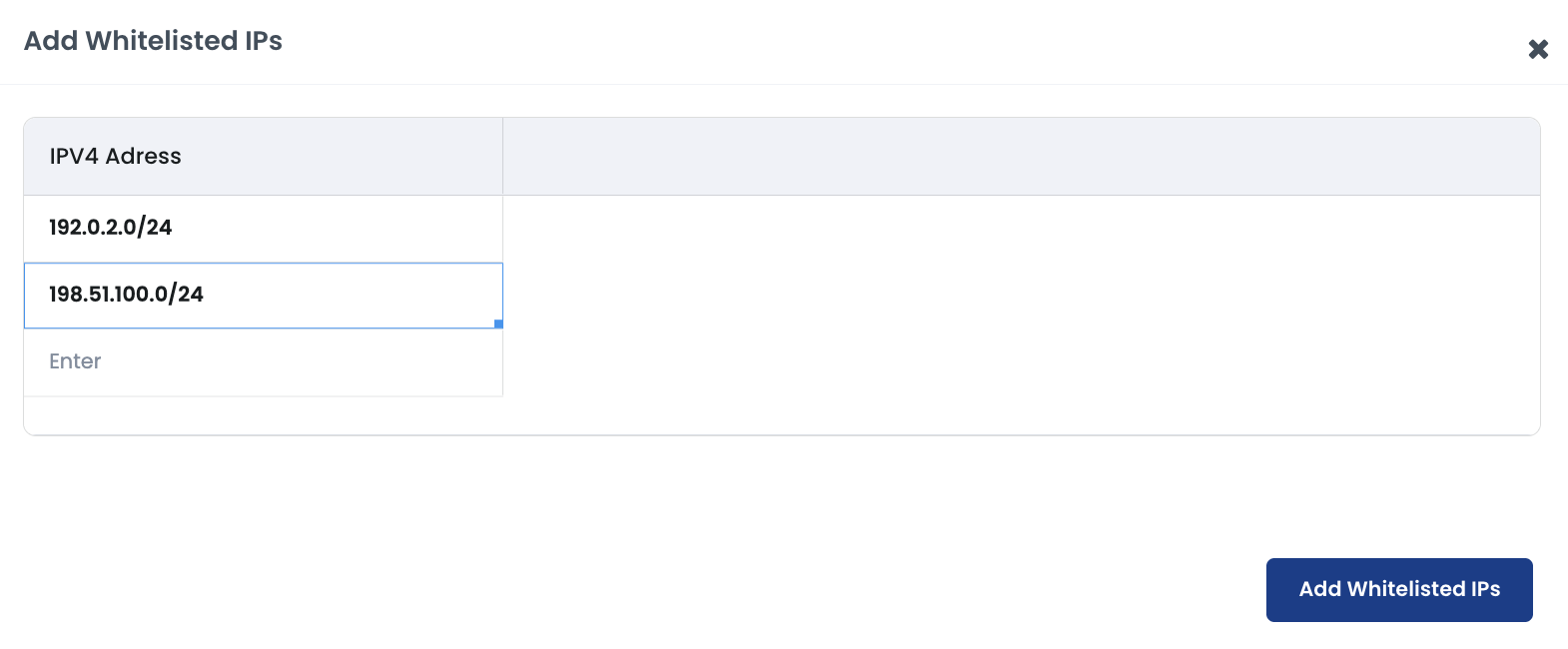
In the window that opens, enter the IPv4 addresses to whitelist:
IP addresses can be either individual addresses or ranges in CIDR notation.
The address can be entered directly or copied and pasted into the fields.
Press enter after typing the addresses to ensure they have registered in the field.
A field highlighted red indicates that the entered address is not recognised as an IPv4 address.
Labstep team tip: At least one of the IP addresses you enter must be the IP you are currently using to ensure you don't lock yourself out!
Once the whitelisted IPs have been added, the IP whitelisting can be enabled using the toggle at the top of the main IP Whitelisting page.
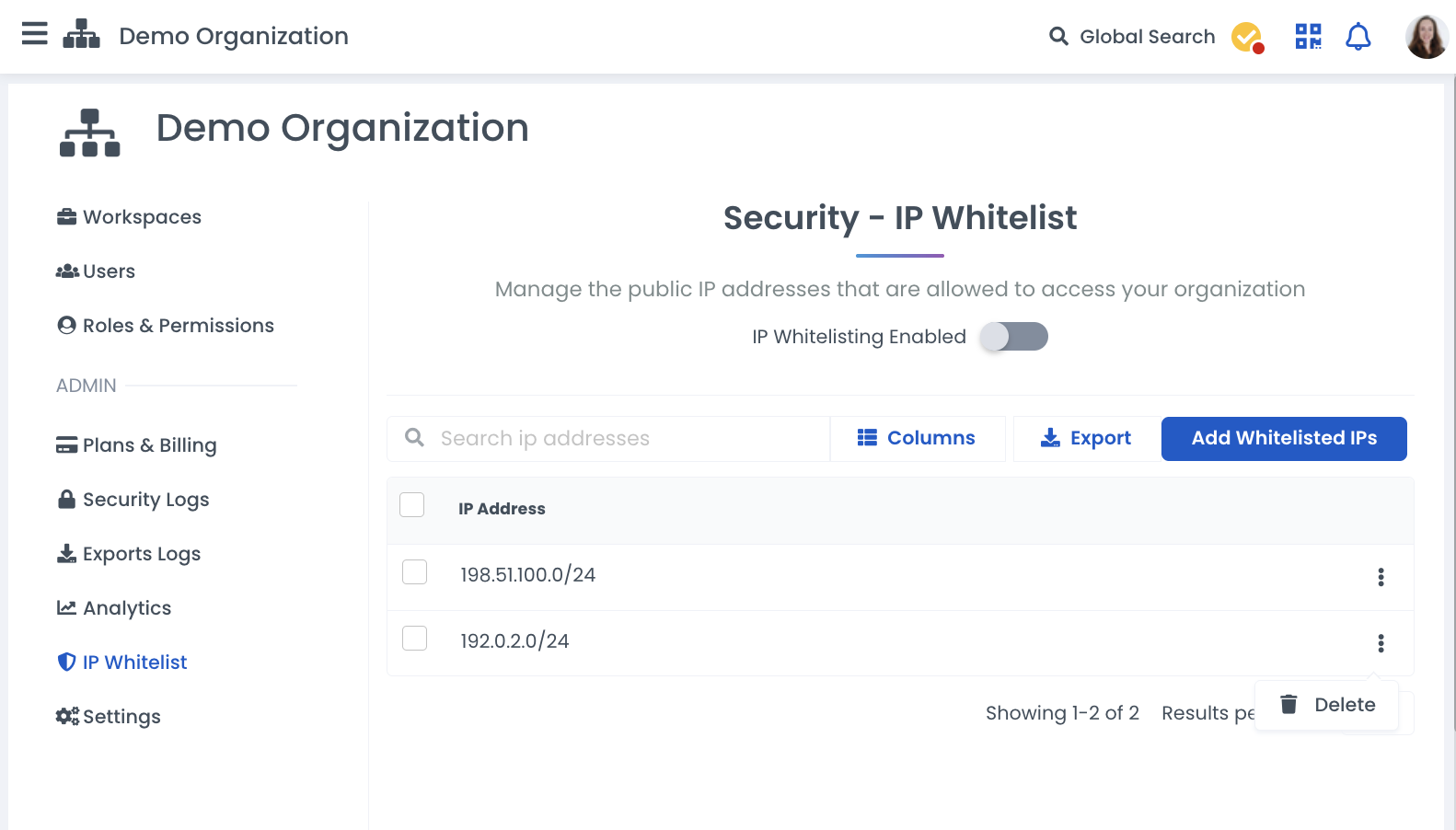
IP addresses can be removed from the whitelist by selecting the 3-dot menu next to IP address and selecting 'delete'.
Still need help?
Contact us here or start a conversation with a member of our team using our in-app chat.