Need to touch up an image but already added it to your protocol or experiment?
Fear not, you can edit your images in Labstep directly!
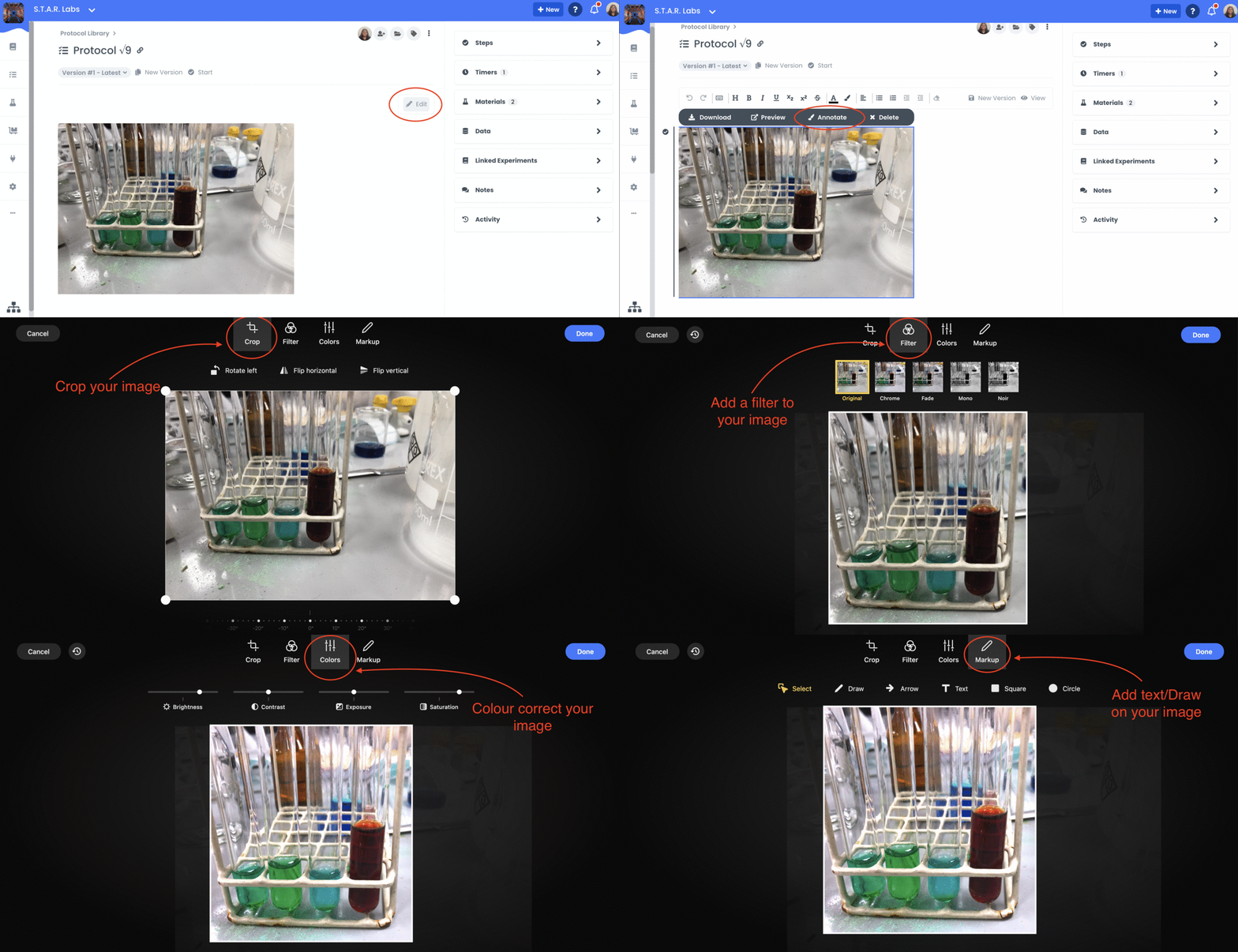
Editing an image:
Click on the chosen image within a protocol/experiment
Click on 'Annotate'
Edit the image to your liking
Click on 'Done' when you're satisfied!
Labstep team tip: If you need to resize an image you will have to do it first onto your laptop then upload your image on Labstep as we currently do not offer this feature.
Still need help?
Contact us here or start a conversation with a member of our team using our in-app chat.