

One of the most popular features on Labstep are the integrated spreadsheets for doing calculations. However, often those calculations rely on metadata that is attached to the inventory items used in the experiment i.e concentration, purity etc or upon certain experimental parameters such as ‘Target Concentration’. Furthermore, the outcome of the calculations is often either the amount you need to use of an inventory item or a value you want to save as a Data Field on your experiment.
Instead of having to copy and paste these values between the experiment / inventory metadata fields and the spreadsheet, you can now connect cells in your spreadsheets to structured data fields in your experiments and inventory so that the values are pulled into the spreadsheet automatically, used in calculations and results synced back to the relevant fields.
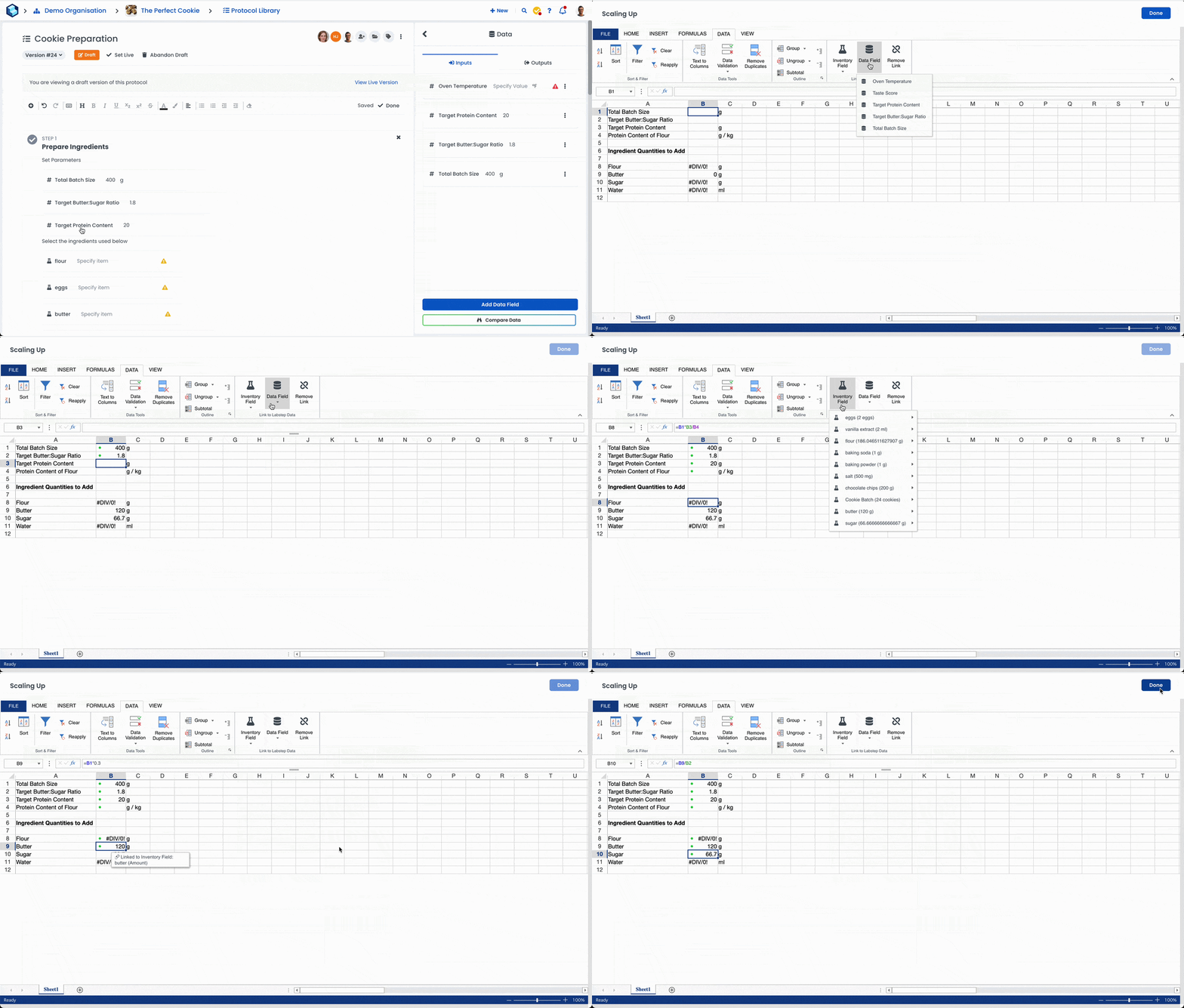
For example, in the example below we want to calculate the amount of flour, butter and sugar we need to add for our Cookie Recipe in order to achieve a certain protein content and butter:sugar ratio. These calculations depend on a few things:
The total batch size of Cookie we are making
The target protein content and butter:sugar ratio
The protein content of the flour we select.
The GIF below shows how we can go about linking those cells in the spreadsheet with the relevant data fields and metadata fields at the protocol level.
The protocol is now ready so that whenever we run the protocol, we can enter the desired values, select the flour used from the inventory and it will do the calculations and adjust the amount we need for each inventory field automatically!
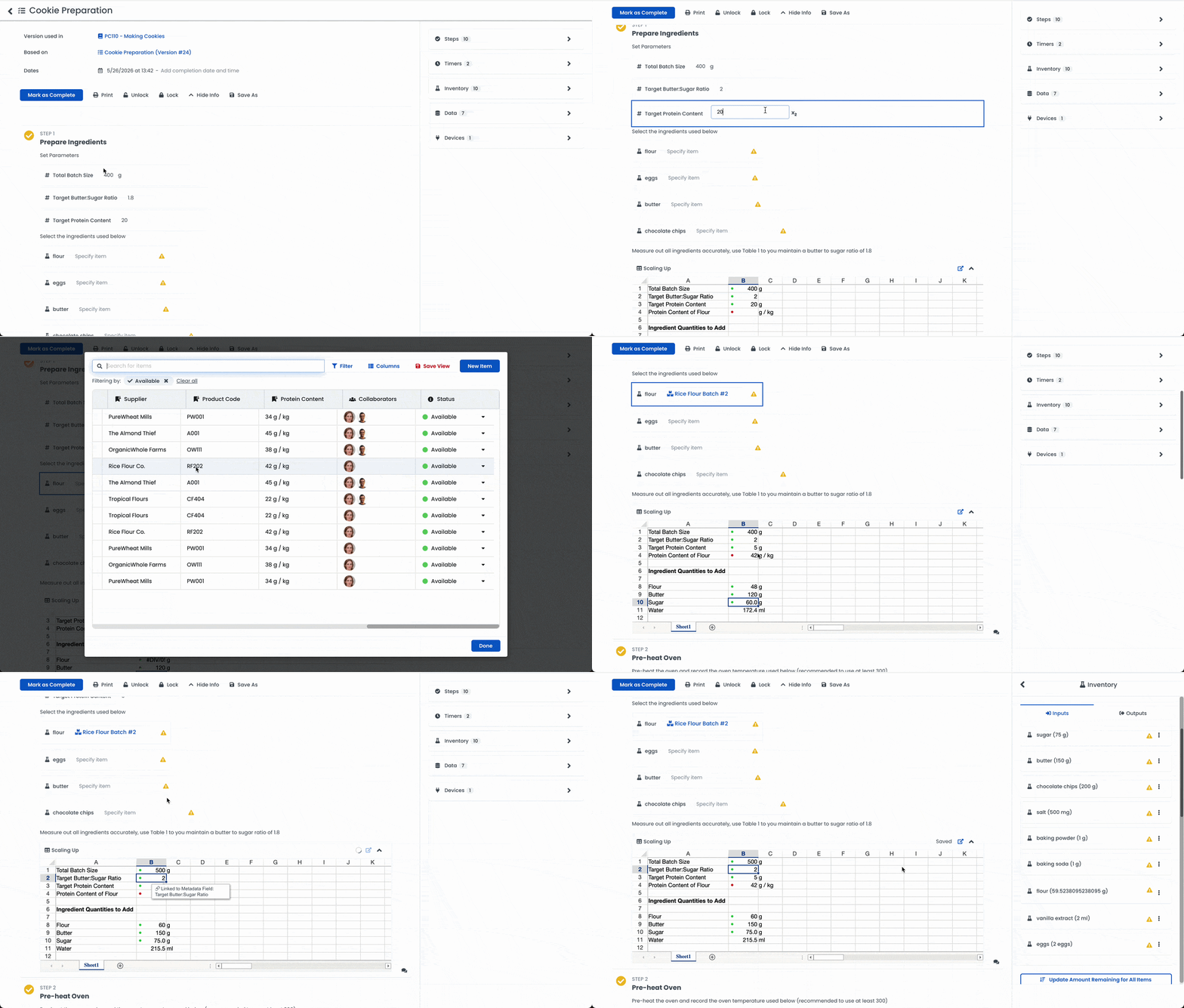
The syncing is two-way so if we adjust the value in the spreadsheet it will update the linked field on the experiment, and if we edit the experiment field it will update the cell in the spreadsheet.